
The Challenge
The MSI Stealth GS65 is known for its slim form factor and high-end gaming performance. But with great power comes great heat — and this unit had been overheating for some time.
The owner resorted to placing it next to a desk fan just to keep it running. Frustrated and worried about long-term damage, he brought it in and asked us to take a proper look.
The Process
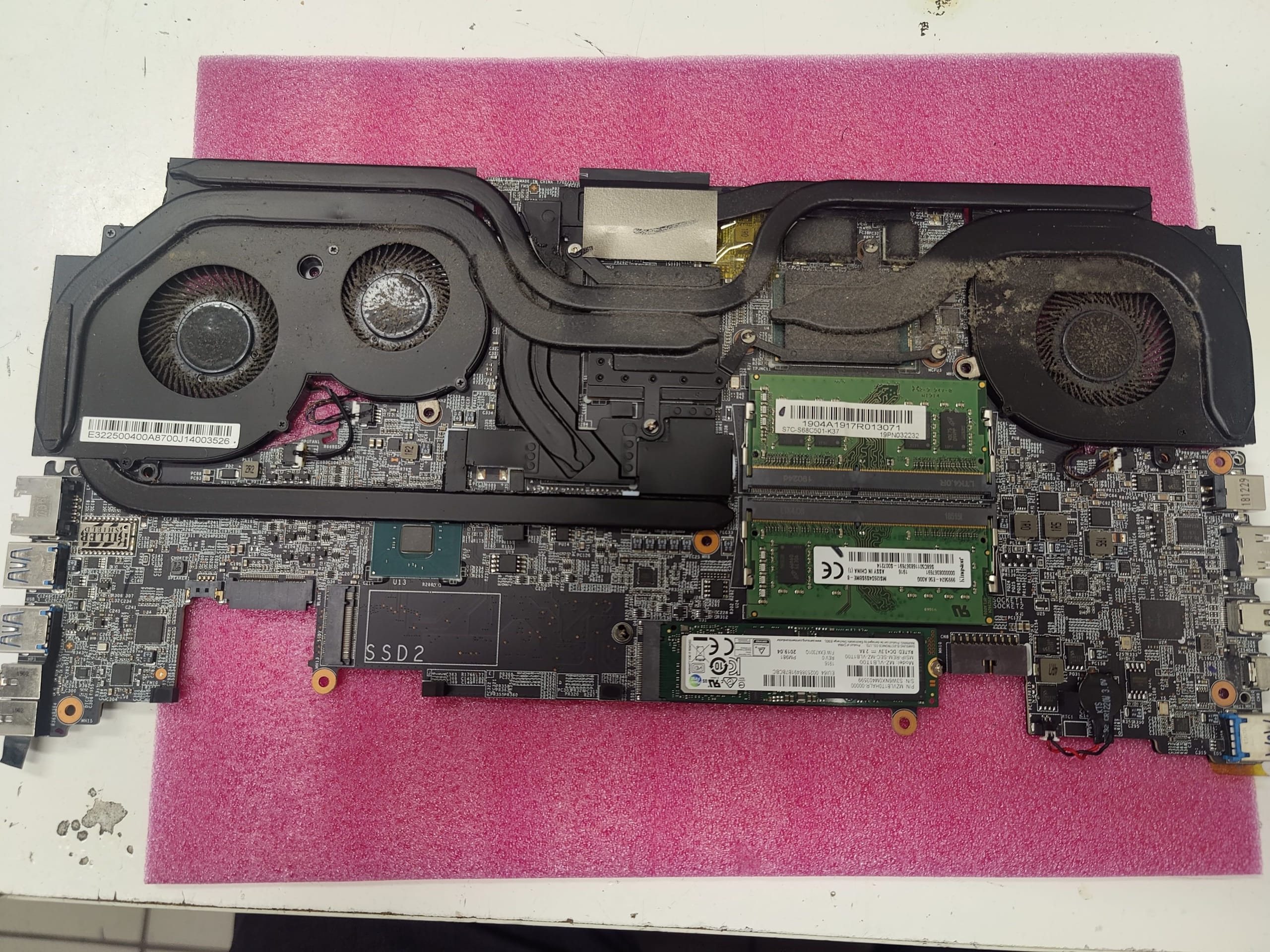
We carried out a quick on-the-spot assessment and immediately noticed poor cooling performance. The fans were spinning, but they weren’t doing the job. Dust buildup and dried-out thermal paste were likely the culprits.
Here’s what we did:
- Disassembled the laptop and removed the motherboard completely.
- Performed a full internal clean, including heatsinks, fans, and vents.
- Reapplied fresh thermal paste on the CPU and GPU.
- Reassembled and stress-tested to ensure thermal efficiency.
The entire job was completed and ready within just 4 hours on the same day.
The Result
The MSI Stealth GS65 was cool again — literally. Temperatures dropped significantly, performance improved, and the fan noise reduced. The customer picked it up later that day, thrilled to have a machine that no longer needed to sit beside a fan.
MSI Stealth GS65 Overheating Fix Burwood
100% success rate
We’ve had 100% success rate on all MSI Stealth GS65 Overheating Fix so far
24-hour turnaround time
MSI Stealth GS65 Overheating Fix was completed within 24 hours with no issue
90-day warranty
The MSI Stealth GS65 Overheating Fix comes with 90-day warranty