Apple iMac Hard Drive or SSD Replacement
From $300
All prices below include parts, installation and GST. The prices are advisory only and are not considered as quotes. The prices may change anytime without notice. We take no responsibility for incorrect pricing on our website.
Have a question? Call 1800 85 83 82 or Request an Estimate
Service Description
Is your Apple iMac running slow, freezing, or stuck on the loading screen? These are common signs of a failing or outdated hard drive (HDD) or solid-state drive (SSD). Over time, mechanical drives can wear out, causing serious slowdowns or startup issues. Even SSDs can fail or fill up, especially in older systems.
Common symptoms include long startup times, spinning beachballs, random crashes, missing files, or a flashing folder with a question mark. In many cases, upgrading to an SSD can significantly boost your iMac’s speed — even more than buying a new computer.
At Safemode, we replace or upgrade internal storage on all iMac models, including 21.5″, 24″, and 27″ Intel and Apple Silicon models. We also reinstall macOS and recover your data (if possible) to get you back up and running quickly.
Pricing Breakdown
Notice: due to excessive AI center demand, costs for RAMs, SSDs have skyrocketed. Add $100-$200+ to the prices below.
Apple iMac hard drive or SSD replacement typically starts from $300 to $650 or more, depending on your iMac’s model, the type of drive used, and the amount of storage you choose.
Here’s how the pricing generally breaks down:
-
$300–$400 → For older iMacs with thicker screens (2011 and earlier), which use standard 2.5″ or 3.5″ SATA drives. These models are easier to open and work on, making installation simpler and more affordable.
-
$450–$650+ → For newer slim iMacs with Retina displays or blade-style SSDs. These models require:
-
Screen removal and resealing
-
Precision tools for delicate handling the display panel
-
More expensive SSDs (especially NVMe-based drives)
-
What affects the cost:
- Drive type (HDD vs SATA SSD vs NVMe SSD)
- Storage size (e.g. 500GB vs 2TB)
- Model and year of your iMac
- Whether the drive is a user-serviceable component or board-integrated
- Whether macOS needs to be reinstalled or data transferred
- The risk of removing the screen in newer iMacs
➡ In general: the more you pay, the better the drive — meaning faster speeds, more durability, and longer warranties.
➡ iMacs with Retina displays and slim enclosures are more labour-intensive to open and reseal, which increases the total repair cost.
Our Process
- Initial Diagnostics – We check the health of your current drive using smart diagnostics and system logs. If accessible, we also back up your data.
- Disassembly – We open your iMac using special tools to safely separate the screen from the body without damaging internal components or breaking adhesive seals.
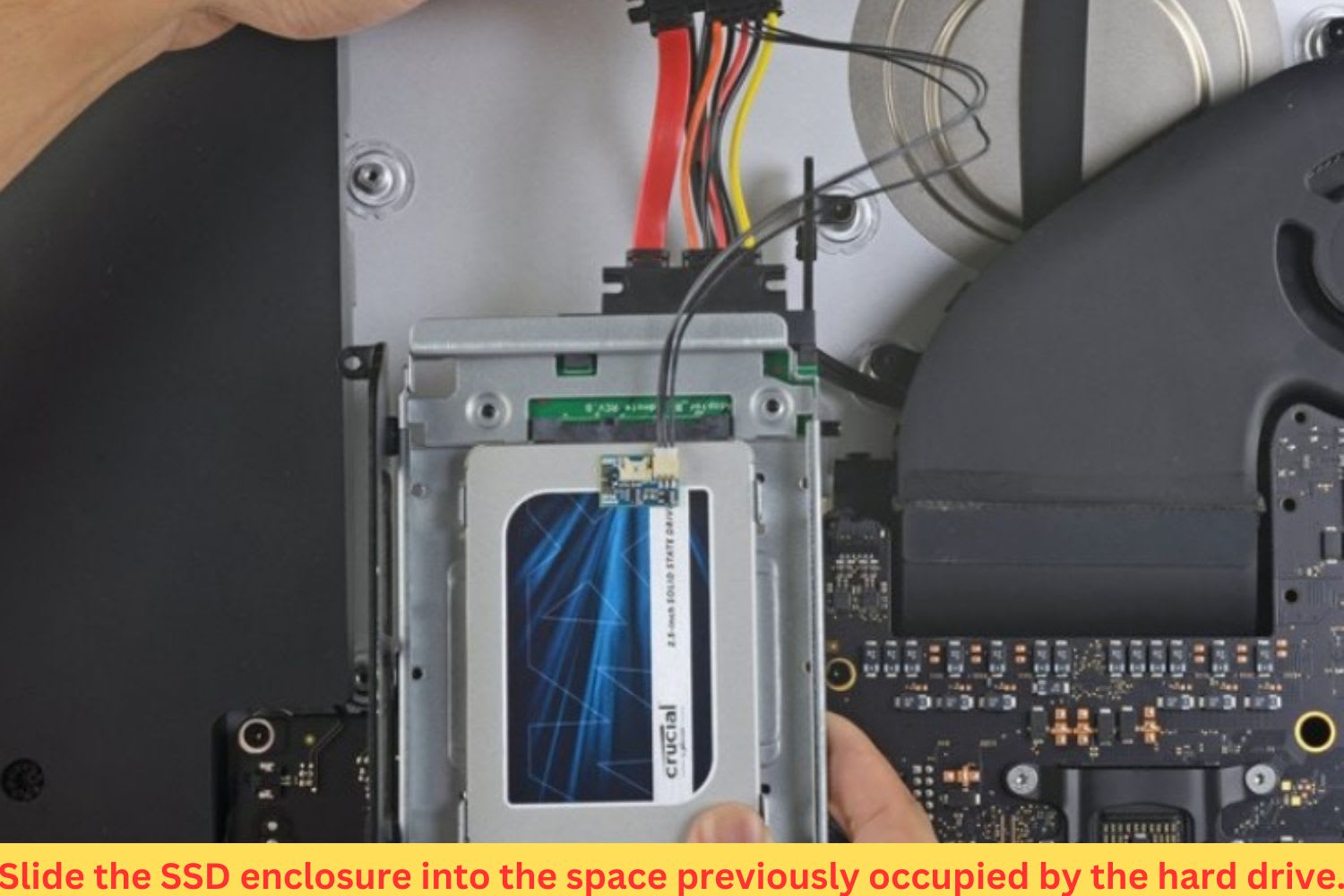
- Drive Replacement or Upgrade – We install a high-quality SSD or HDD, depending on your performance needs. SSDs are ideal for users looking for faster boot times and smoother multitasking.
- macOS Installation – We install a clean version of macOS that’s compatible with your iMac and perform all system updates and driver configurations.
- Data Recovery & Transfer – If your old drive is still readable, we attempt to recover and transfer your files to the new drive or an external backup.
- Final Testing – We test boot time, app response, drive temperature, and overall system performance before sealing the screen back on.
The Technical Stuff
iMac storage options and replacement methods vary based on generation:
- Older iMacs are ones with thicker screens are vintage models, 2011 and older. These iMacs use 2.5″ or 3.5″ SATA drives, which can be upgraded to SSDs.
- iMacs with slim screen design (2012–2015) – Use 3.5″ or 2.5″ SATA drives; easily upgraded to SATA SSDs.
- iMac Retina 4K/5K (2015–2020) – May use Fusion Drive (HDD + SSD combo) or PCIe SSDs; upgrades often require custom thermal sensor adapters.
- 24″ iMac with M1 (2021+) – Uses soldered SSD integrated with the logic board; replacement options are extremely limited.
- Fusion Drive conversion – We often replace both components with a single SSD for improved performance and stability.
- TRIM support & APFS format – We configure new SSDs with Apple-recommended file systems and TRIM to extend life and speed.
We match your storage upgrade to your specific workflow and performance expectations.
Our Difference
Replacing or upgrading an iMac’s internal drive requires experience — especially with Retina models where the screen is sealed to the frame. At Safemode, we handle each iMac with precision and care, using proper tools and proven methods to avoid damage.
Our technicians have upgraded thousands of iMacs with modern SSDs — giving older systems a new lease on life. We recover your data where possible, perform clean macOS installs, and ensure your system is faster, cooler, and more reliable than before.